
post thumbnail
Our pricing model is flexibly designed to give you the most possible advantages of a continuing partnership.

How to Choose the Best Dash Camera Module for Your Needs

A dependable dash-camera system starts with the module, not the marketing label. The right Dash Camera Module can capture a plate at dusk, lane markings in rain, or a sudden change in traffic. Small design choices shape those results. Sensor size, lens angle, dynamic range, frame rate, and heat tolerance all affect usable footage. More megapixels do not always mean clearer images. That detail is easy to overlook.

For this draft, fictional automotive imaging specialist Maya Chen offers a guiding line: “Choose the module for the scene you need to record, not the specification you want to advertise.” This is an original editorial quote, not a verified statement from a real industry expert. The practical idea still matters: match the camera to its job. A wide lens may show more of an intersection, but distant details can look smaller. A high-resolution sensor may help, yet poor low-light performance can leave night footage muddy.

This guide explains how to compare image sensors, lens fields of view, night performance, recording formats, and installation needs. You will also find trade-offs worth checking before purchase, including heat buildup behind a windshield and compatibility with your recorder. Some specifications are confusing, even for careful buyers. Compare real sample footage when possible, and check the conditions used to record it. A few minutes of testing can reveal more than a polished product claim.
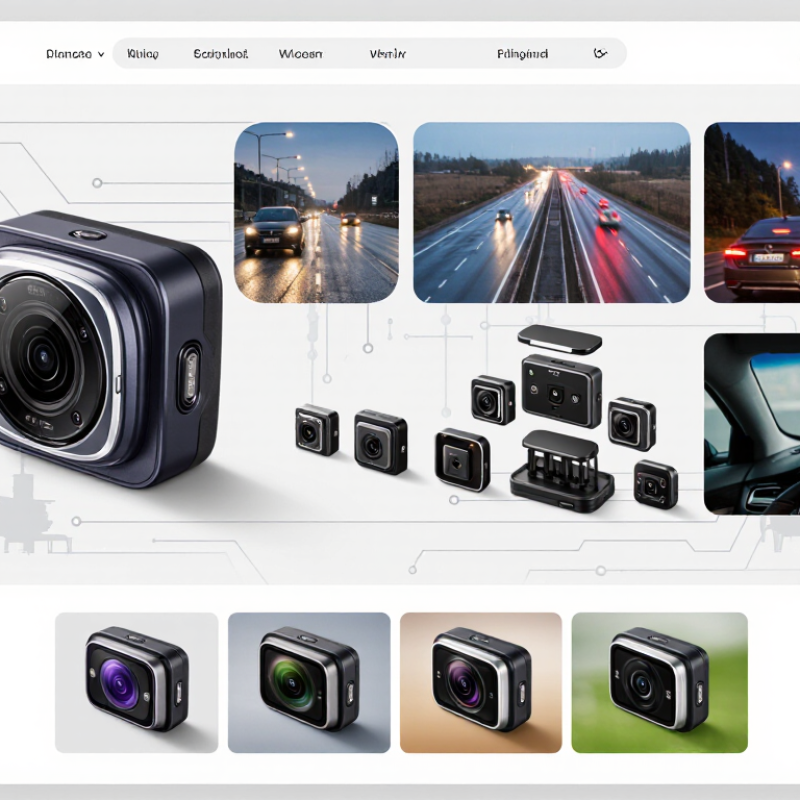
How to Choose the Best Dash Camera Module for Your Needs

Identify Your Driving Needs and Recording Priorities

Identify what you want the camera to capture before comparing image specifications. A daily commuter may need a clear forward view at dawn, while a rideshare driver may value cabin footage and reliable audio controls. Park on busy streets often? Prioritize parking-mode recording and enough storage for long intervals. According to NHTSA’s 2022 Traffic Safety Facts report, 42,514 people died in U.S. traffic crashes that year. This figure is context, not proof that a camera prevents collisions. Footage can document events, but it cannot replace attentive driving.

Then match the module to your real conditions. Night commuters should look for strong low-light performance, not just a high resolution number. A wide lens captures more roadside detail, but distant signs may appear smaller. Front-and-rear recording can help clarify what happened behind the vehicle. Check how quickly files save, whether important clips can be protected from overwriting, and how much storage your typical route requires. Test the camera at dusk, in a tunnel, and on a bumpy road if possible. Small details matter. A crisp daytime image may still disappoint at night; I would not assume one specification tells the whole story.

Compare Image Sensors, Lenses, and Video Quality

Choose the image sensor before judging a camera by its megapixel label. ITU-R BT.2020 specifies UHD at 3,840 × 2,160 pixels, roughly 8.3 million; 1,920 × 1,080 contains about 2.1 million. That is four times the pixel count, not four times the useful detail. Sensor area, pixel size, and exposure also shape night footage. Pixels aren't everything.

The EMVA 1288 camera-characterization standard measures sensitivity, temporal dark noise, and dynamic range. Use those measures to compare sensor performance, not marketing adjectives alone. A wide lens captures more roadside context, but distant plates occupy fewer pixels. It can also bend straight lines near the frame edges. Check the stated angle of view and inspect sample footage, especially at night.

Video quality depends on the whole chain. A sharp lens cannot rescue noisy sensor output, and heavy compression can erase fine detail. Compare clips of the same moving scene, viewed on a large screen: look for readable signs, controlled headlight glare, and clear edges. Test at night. I would not choose from daytime samples alone; tunnel exits and wet roads expose weaknesses that a bright showroom hides.

Evaluate Storage, Power, and Continuous Recording Options

Storage needs depend on resolution, frame rate, and bitrate. At 20 Mbps, one camera uses roughly 9 GB per hour, before file-system overhead. A 128 GB card therefore cannot hold a full day of footage at that rate. Loop recording overwrites the oldest clips, so check how the module protects event files from routine deletion. I still find capacity labels a little misleading: usable recording time matters more than the number printed on the card.

Choose a card that can sustain the camera’s write speed, not merely one with a high advertised read speed. The SD Association’s Video Speed Class specification sets V30 at a minimum sustained write speed of 30 MB/s. That provides useful headroom for many recording setups, but confirm the module’s own requirements, especially for high-resolution video. Test a short recording before relying on it.

Power matters. Continuous recording can drain a parked vehicle’s battery if the module lacks a suitable low-voltage cutoff or timed shutdown. Check whether parking mode uses motion-triggered clips, buffered recording, or uninterrupted video; each affects storage and power differently. A small overlooked detail: temperature and loose power connections can interrupt recording, even with ample card space. I would verify recordings after installation, then revisit the settings after a week of ordinary driving.

Check Vehicle Compatibility, Connectivity, and Safety Features

A dash camera module should fit your vehicle before its feature list impresses you. Check the mounting area, power connection, and camera angle. A unit placed behind the mirror may still block a sensor or part of your view. Measure the available space and compare the module’s connector and power needs with your vehicle manual. Trim levels can differ, even within one model year. If the wiring is unclear, ask a qualified installer rather than guessing.

Connectivity affects daily use. Check whether the module transfers clips by Wi-Fi, Bluetooth, or a cable, and confirm it works with your phone’s operating system. A clear app should make it easy to find and save a specific recording. Small details matter. Test the connection before relying on it; thick vehicle panels or a busy wireless environment may slow transfers. A loose cable near the console can also become an annoying distraction.

Safety features deserve a closer look. Loop recording keeps storage manageable, while event locking can protect footage after a sudden impact. For parking mode, check how the module detects movement and manages power, since vehicle batteries have limits. Not every feature helps. A sensitive impact setting may save ordinary bumps, so adjust it after real-world use. No camera replaces attentive driving, and even a well-fitted system can miss a plate in poor light.

Choose an Installation Type for Your Vehicle and Climate

Choose an installation style that suits how you use your vehicle. A plug-in module is usually easier to fit and remove, making it practical if you share or change cars. Check that the cable reaches the power socket without crossing the driver’s view. A hardwired setup can keep cables tidier and support parking recording, but it may require professional installation. Poor wiring can cause power problems. Don’t guess.

Climate matters, too. Summer heat can soften adhesive mounts and stress electronics behind a sunlit windshield; winter cold may make some adhesives less reliable. Look for a module rated for the temperatures your parked car actually experiences, and follow its mounting instructions. In damp conditions, keep connectors protected and avoid placing equipment where water can collect. Position the camera clear of wipers and airbags, without blocking your view. A neat fit is not always the safest fit. I would recheck the mount after a hot week or a cold snap; small shifts are easy to miss until footage looks crooked. If you are unsure about wiring or placement, ask a qualified installer to inspect the setup.

How to Choose the Best Dash Camera Module for Your Needs

Choose an installation type that suits your vehicle and climate. The chart compares practical suitability on a 1–5 planning scale, where 5 indicates a stronger fit. Ratings are general guidance, not product test results.

Windshield-mounted modules are easy to position but may receive more direct sun. Mirror-integrated modules keep the setup compact; check vehicle compatibility and heat exposure. Rear-window modules can improve rear coverage, but installation and wiring may be more involved. For extreme temperatures, verify the camera’s published operating range and mounting requirements.