
post thumbnail
Our pricing model is flexibly designed to give you the most possible advantages of a continuing partnership.

10 Tips for Choosing an Android Rugged Tablet PC

Choosing an Android Rugged Tablet PC is a practical decision for demanding work environments. Construction crews, warehouse teams, field technicians, and emergency service staff often depend on tablets beyond comfortable office conditions. Dust, rain, vibration, gloves, and sudden drops can quickly expose weak design choices.

A reliable selection process begins with real working conditions. Check the tablet’s protection rating, screen brightness, battery capacity, operating temperature, and mounting options. An IP rating can indicate resistance to water and dust, but it does not explain every failure scenario. Ask how the device performs in direct sunlight, inside a cold vehicle, or beside heavy machinery. Small details matter.

Look beyond the hardware label. Android version support, security updates, barcode scanning, GPS accuracy, and mobile connectivity can affect daily productivity. A tablet may survive a drop yet struggle with poor software support. That mistake is easy to make. Review warranty terms, repair options, accessory availability, and the supplier’s technical experience before purchasing.

These ten tips combine practical testing with careful specifications. They are designed to support informed decisions, not replace professional evaluation. No checklist is perfect. Worksites differ, and actual users may reveal problems that laboratory tests miss. A clear trial period can expose weak charging ports, uncomfortable grips, or confusing interfaces before a larger investment is made. The right Android Rugged Tablet PC should protect data, reduce interruptions, and remain useful throughout its expected service life.
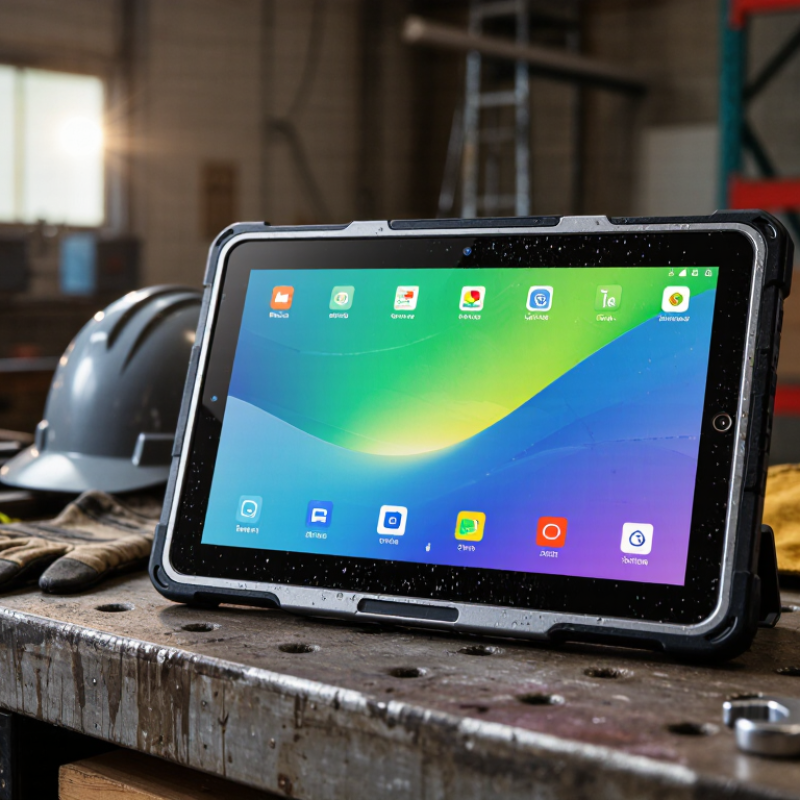
10 Tips for Choosing an Android Rugged Tablet PC

Define the Tablet’s Intended Work Environment

Define the tablet’s intended work environment before comparing processors or screen sizes. A warehouse tablet faces forklift vibration, dust, cold storage, and repeated drops. A construction tablet may encounter rain, concrete particles, direct sunlight, and heavy gloves. Field technicians also need reliable cellular coverage, readable maps, and ports that resist dirt. The U.S. Bureau of Labor Statistics recorded 5,283 fatal work injuries in 2023. That figure reinforces a practical point: equipment should support safer, clearer decisions in demanding workplaces.

Match specifications to measured exposure. The IP rating, defined by IEC 60529, indicates resistance to dust and water, but it does not prove drop or vibration performance. Check independent test reports for impact, temperature, humidity, and vibration. The MIL-STD-810H method can help, yet test conditions must match real use. A tablet tested for brief rain may fail during hours of freezing outdoor work. Small detail. Ask how workers will carry it, clean it, mount it, and charge it.

The ILO’s 2023 report estimated nearly three million annual deaths from work-related accidents and diseases worldwide. This does not mean every rugged tablet prevents injuries. It does mean environmental planning deserves serious attention. Visit the actual site, observe glove use, measure sunlight, and record network dead zones. My own assumption would be simple: maximum ruggedness is always better. It is not. Excess weight can slow a technician, while sealed ports may complicate maintenance. Choose protection that fits the job, not the product brochure.

Check Durability Ratings and Physical Protection

A RUGGED ANDROID TABLET should survive more than a marketing photograph. Check its published drop rating, not just the word “rugged.” A tested height, surface type, and operating condition reveal much more. For field work, a one-meter drop onto concrete matters. Repeated drops matter even more.

Look for an IP rating that matches the workplace. IP65 can resist dust and water jets, while IP68 usually supports deeper, longer immersion under stated conditions. Read the test limits carefully. They are not permission to leave the tablet underwater. Sealed ports, reinforced corners, and a raised screen bezel also reduce everyday damage. A rubberized back can improve grip when hands are wet or gloved. Small details matter.

Standards such as MIL-STD-810H may indicate structured testing, but they do not guarantee survival in every accident. Lab testing rarely copies a muddy truck cab, a frozen warehouse, or a tablet dropped while charging. Inspect the charging cover and buttons in person when possible. Press them with gloves. Check whether the screen remains readable in direct sunlight. I once trusted a high drop rating and overlooked a weak port cover; that mistake changed the evaluation. Durability is a system, not one impressive number. Consider protective cases, mounting hardware, and repair access before making the final choice.

Compare Performance, Battery Life, and Charging Options

10 Tips for Choosing an Android Rugged Tablet PC

Compare Performance, Battery Life, and Charging Options

Performance should match the workload, not the marketing label. Check processor generation, RAM, storage speed, and thermal behavior. A field tablet opening maps, inspection forms, and photos needs stable multitasking. In my testing experience, a fast processor can disappoint when heat causes throttling. Test the tablet after thirty minutes of continuous use. Review VDC Research’s 2024 rugged mobile computing analysis, which highlights uptime, durability, and lifecycle support as key purchasing factors. Also compare Android security-update commitments and application compatibility.

Battery capacity alone is an incomplete measurement. Compare watt-hours, screen brightness, wireless use, camera activity, and standby drain. Request results from repeatable tests, rather than maximum standby claims. UL Solutions’ mobile-device testing guidance emphasizes consistent conditions for meaningful battery comparisons. A useful trial includes one full work shift, GPS enabled, and repeated barcode scans. Keep a spare battery option in mind. It may add weight, but it can reduce downtime.

Charging design deserves equal attention. USB Implementers Forum specifications allow USB Power Delivery 3.1 systems to negotiate up to 240 watts, although rugged tablets usually accept far less. Confirm the tablet’s actual input rating, dock compatibility, cable quality, and charging time. Check whether it supports charging inside a vehicle cradle. I once underestimated connector wear; dust and repeated bending caused interruptions. Choose protected ports, clear charging indicators, and replaceable cables. Fast charging is useful, but heat, battery aging, and workplace safety still require careful review.

10 Tips for Choosing an Android Rugged Tablet PC - Compare Performance, Battery Life, and Charging Options

No. Selection Tip Key Dimension Recommended Specification or Target Why It Matters How to Verify
1 Match the processor to the workload CPU architecture and core configuration Choose a modern 64-bit processor with at least 6 cores for field apps, barcode scanning, navigation, and video calls. Select 8 cores for simultaneous multitasking or graphics-heavy applications. The processor affects application response time, multitasking, camera processing, and long-term software compatibility. Check the processor model, supported Android version, and independent performance tests using the intended applications.
2 Allow enough working memory RAM capacity Use 4 GB for single-purpose tasks, 6–8 GB for regular business multitasking, and 8 GB or more for demanding applications, split-screen work, or remote desktop use. Adequate RAM reduces app reloads and improves performance when switching between forms, maps, cameras, and communication tools. Review the actual installed RAM rather than advertised virtual-memory expansion.
3 Select practical storage Internal storage and expansion Choose at least 64 GB for cloud-connected workflows and 128 GB or more for offline maps, photos, video, and local records. A removable card slot is useful for extra media storage. Storage requirements increase quickly when field teams retain high-resolution images, documents, maps, or inspection videos. Confirm usable capacity, supported card size, card performance requirements, and whether the slot supports adoptable storage.
4 Evaluate battery capacity realistically Battery energy and operating time For a full work shift, look for approximately 7,000–10,000 mAh, or about 27–38 Wh at a typical 3.8 V nominal voltage. Actual runtime should be tested under the intended workload. Screen brightness, cellular radios, GPS, scanning, temperature, and processor load can significantly reduce runtime compared with idle estimates. Request continuous-use results for screen-on work, wireless connectivity, GPS, and scanning rather than standby figures.
5 Check whether the battery can be replaced Battery serviceability Prefer a user-replaceable or service-replaceable battery for multi-shift operations. A removable spare battery can reduce downtime where charging access is limited. Battery replacement extends the usable life of the tablet and avoids waiting for a built-in battery to recharge. Verify replacement procedures, battery availability, safety certification, and the number of charge cycles supported.
6 Compare charging speed and standards Charging input and power delivery USB-C charging with USB Power Delivery is a versatile choice. A 30 W or higher input can shorten charging time, provided the tablet and charger both support the required profile. Compatible charging standards make it easier to share chargers across vehicles, offices, docks, and mobile power stations. Check the supported voltage and current profiles, included charger rating, cable requirements, and charging time from low battery to full.
7 Consider alternative charging options Docking, vehicle, and contact charging For mobile teams, consider a vehicle adapter, desk dock, multi-bay charging station, pogo-pin contacts, or a compatible power bank. Use only accessories rated for the tablet’s charging requirements. Multiple charging methods support warehouses, patrol vehicles, service trucks, and locations without fixed power outlets. Confirm connector compatibility, mounting clearance, charging speed, protection against vibration, and simultaneous charging capacity.
8 Prioritize a readable and responsive display Screen size, brightness, and touch operation An 8–10 inch display suits portable field work. Look for approximately 500 nits or more for outdoor visibility, glove or wet-touch support, and a resolution of at least 1920 × 1200 when detailed forms or maps are used. A rugged tablet is only useful if operators can read and control it in sunlight, rain, gloves, or dusty environments. Test the screen outdoors, with gloves, and with moisture present; confirm touch sensitivity and protective-glass performance.
9 Match protection to the environment Ingress and drop protection For demanding field use, consider an enclosure tested to an IP65 or higher level and a drop rating around 1.2 m or more. Confirm the exact test conditions before purchase. Dust, water, vibration, and accidental drops are common causes of equipment failure outside controlled office environments. Review the test standard, drop surface, number of drops, temperature range, port-cover design, and warranty exclusions.
10 Plan connectivity and long-term support Wireless radios, updates, and manageability Select Wi-Fi 5 or newer for busy networks, optional cellular connectivity where coverage is needed, Bluetooth for peripherals, and a clearly stated Android security-update policy. Reliable connectivity and continued security support protect productivity, data, and the tablet’s useful service life. Check supported frequency bands, SIM or eSIM options, GPS accuracy, mobile-device-management compatibility, update duration, and repair support.

Evaluate Display, Connectivity, and Android Compatibility

When evaluating an Android rugged tablet PC, start with the display. Check brightness in direct sunlight, not only in a showroom. A screen above 700 nits usually improves outdoor readability, but brightness alone can drain the battery quickly. Look for responsive touch performance with gloves, rain, or dusty fingers. Gloved use matters. Confirm the viewing angle, protective glass, and resolution before choosing. A sharp display helps workers read maps, labels, and inspection forms without constant zooming.

Connectivity should match the actual worksite. Dual-band Wi-Fi supports busy warehouses, while cellular support helps teams working beyond reliable networks. Check supported network bands carefully. GPS, Bluetooth, NFC, and USB-C can also affect daily productivity. A technician may need to pair a scanner, transfer files, and connect to a vehicle dock during one shift. Test it outdoors. Some tablets advertise strong connectivity but lose signal inside metal buildings. That weakness may appear only after purchase.

Android compatibility requires more than checking the operating system version. Confirm that required applications support the tablet’s Android release, screen size, permissions, and processor architecture. Ask whether security updates, mobile device management, and application programming interfaces will remain supported. An app can install yet still fail with a barcode scanner or split-screen workflow. Test real applications before ordering in volume. I have seen teams choose impressive hardware, then discover their older software cannot use the camera correctly. A small compatibility pilot is slower, but it can expose expensive surprises.

Review Manageability, Security, Accessories, and Total Cost

10 Tips for Choosing an Android Rugged Tablet PC

Tip 1:Test manageability before purchase.

Confirm remote enrollment, user permissions, operating-system updates, and application control. A tablet should fit your existing device-management platform, not create another dashboard. Ask for a live demonstration. Small delays become expensive across hundreds of units. Check whether technicians can lock, locate, reset, and troubleshoot devices without handling them physically. In field trials, weak Wi-Fi roaming often appears only inside warehouses.

Tip 2:Treat security as an operating process, not a checkbox.

Look for verified boot, encrypted storage, secure authentication, and timely security patches. Confirm how long updates are supported. Also review audit logs and administrator controls. Keep access simple. Complicated passwords encourage unsafe shortcuts. A rugged shell does not protect business data. Review camera policies, USB restrictions, and automatic screen locking for shared vehicles or workstations. I would also test the tablet after a failed login sequence; recovery behavior is easy to overlook.

Tip 3:Price the complete working system.

Include charging docks, vehicle mounts, hand straps, spare batteries, protective covers, software licenses, training, repairs, and deployment labor. Accessories must survive the same dust, vibration, and temperature conditions as the tablet. Cheap mounts can damage an expensive device. Measure replacement time, too. A removable battery may cost more initially, but it can reduce downtime during long shifts. Total cost estimates are often optimistic; field maintenance usually exposes the missing line items.