
post thumbnail
Our pricing model is flexibly designed to give you the most possible advantages of a continuing partnership.

China Top 10G SFP Copper Module Suppliers for Global Buyers

Choosing a 10g Sfp Copper module for a live network is more than a price decision. Global buyers need suppliers that provide clear specifications, consistent production, and responsive support after delivery. These modules can connect switches over twisted-pair cabling through an RJ45 interface, making them useful when fiber is not practical. Yet compatibility, cable distance, and heat must be checked against the intended equipment. Small details matter. A transceiver may fit a port and still fail to establish a stable link with a specific switch or firmware version.

This guide introduces ten China-based suppliers for buyers comparing product ranges and service capabilities. It considers practical factors such as published data sheets, interoperability guidance, quality-control processes, customization options, warranty terms, and export experience. A supplier’s claims are useful, but they are not a substitute for testing. Ask for the module’s operating specifications and confirm support for your exact switch model before placing a large order. Requesting a sample can reveal issues that a catalog cannot. Not every company shares the same level of technical detail, and public information may be incomplete or outdated. That uncertainty deserves attention, not assumptions. The goal is to help readers form a shortlist, ask better questions, and match a supplier to their network requirements rather than rely on a ranking alone.
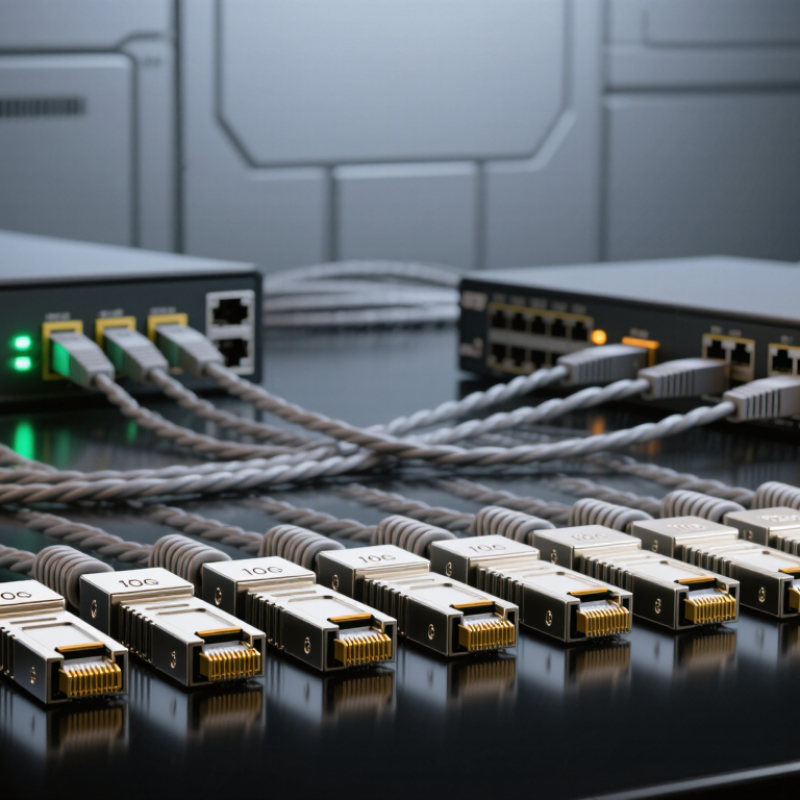
China Top 10G SFP Copper Module Suppliers for Global Buyers

10G SFP+ Copper Modules Explained: 10 Gb/s RJ45 Links up to 30 m

A 10G SFP+ copper module brings a familiar RJ45 port to a switch or server. It carries 10 Gb/s Ethernet over twisted-pair cable. Many modules support links up to 30 m, but treat that figure as a limit, not a guarantee. Cable category, connector quality, and installation conditions all matter. Cat6A cable is a sensible choice for a new run.

Before deployment, check that the host device supports the module type. Also confirm its power and thermal requirements. Copper modules can draw more power and generate more heat than optical alternatives. Heat matters. In a crowded switch, blocked airflow may affect stability. A short cable does not remove the need for proper ventilation.

For a reliable link, keep the cable route within the module’s specified distance and avoid damaged patch cords or loose terminations. Test the connection under normal traffic, not only at idle. Check negotiated speed and watch for errors. If a link repeatedly drops, inspect both ends and the switch’s compatibility guidance before replacing equipment. Copper is convenient for nearby devices, though its reach and heat profile deserve a second look.

Key Specifications: IEEE 802.3an, Cat6a Cabling, and 2.5 W Power

For global buyers, a 10G SFP copper module is only as reliable as its cable path. IEEE 802.3an defines 10GBASE-T over balanced copper, with runs up to 100 meters on Category 6A cabling. That distance matters in a rack row or across a small equipment room. The Telecommunications Industry Association’s ANSI/TIA-568.2-D cabling standard provides installation guidance for balanced twisted-pair channels; connector quality and termination still affect real-world performance. A neat cable label cannot fix a poor termination.

Power needs equal attention. A 2.5 W module can add noticeable heat when several ports sit together, especially in a compact switch with limited airflow. Treat 2.5 W as a module specification to verify, not a universal limit imposed by IEEE 802.3an. Check the host port’s supported power budget, then measure temperatures under sustained traffic. Small detail. A buyer should also confirm link stability at the intended cable length, since nearby copper runs can introduce crosstalk. IEEE’s 10GBASE-T requirements set a useful baseline, but site conditions are less tidy than a lab. That is worth remembering.

10GBASE-T Copper Cabling: Maximum Channel Reach

IEEE 802.3an defines 10GBASE-T. Cat 6A supports channel lengths up to 100 m; Cat 6 can support up to 55 m, depending on alien crosstalk conditions. A 2.5 W figure may be used as a module power-budget reference, but actual power consumption varies by module and should be checked against its datasheet.

How to Assess China’s Top 10G SFP+ Copper Module Suppliers

Assess suppliers through test evidence, not catalogue language. IEEE 802.3an-2006 specifies 10GBASE-T operation over up to 100 metres of Category 6A cabling. That figure describes a compliant channel, not a guarantee that every SFP+ copper module will work in every switch. Ask for compatibility records naming host models, cable grades, firmware versions, and tested temperatures. Short claims are not proof. Check whether the supplier reports power consumption, link-up time, error performance, and thermal limits under sustained 10Gbps traffic. A polished datasheet can still leave gaps.

Request samples from the same production process used for shipment, then test them in your own host and cabling environment. SFF-8431 defines key SFP+ interface requirements; compare the supplier’s interface claims against the specification and the host manufacturer’s limits. Keep test results, batch identification, and failure-handling terms in writing. Where tests are outsourced, ask whether the laboratory is accredited to ISO/IEC 17025 for relevant measurements. Look for clear evidence, not just a certificate image. Supplier responses may be uneven; record unanswered questions and retest after hardware or firmware changes.

Supplier Comparison: Compatibility, Testing, Warranty, and Global Support

For global buyers, a 10G SFP+ copper module is not a simple plug-in purchase. Host coding, firmware, power draw, and thermal limits can affect compatibility. The IEEE 802.3an standard specifies 10GBASE-T operation across channels up to 100 meters on suitable cabling; compact SFP+ copper modules may support less. Check each supplier’s stated cable category and reach. Test it hot. Ask for interoperability results from the exact switch model, not only a generic pass certificate. A useful test record includes link negotiation, sustained traffic, packet errors, and module temperature. The Ethernet Alliance’s 2024 Ethernet Roadmap tracks 10GbE alongside faster Ethernet speeds, underscoring why mixed-speed networks still need careful qualification.

Compare suppliers on evidence, not confident wording. Request serial-level test reports, clear firmware and coding options, and a written warranty covering replacement steps and exclusions. A fast response is less useful if replacement stock sits in another region. Confirm support hours, escalation contacts, shipping terms, and whether remote troubleshooting is available in your operating time zone. Ask for actual response and replacement targets. One awkward detail: warranty length alone says little about downtime. A buyer should compare the remedy, process, and local stock. I would also keep a small, documented spare pool; it adds cost, but a failed link during a busy change window is not theoretical. IEEE 802.3an and the Ethernet Alliance roadmap provide useful context, while supplier-specific tests remain essential.

Global Buyer Checklist: Verify Host Ports, Cabling, and 30 m Link Performance

Before ordering a 10G SFP copper module, confirm that the host port supports the module type, not just the SFP+ form factor. Check the switch or server documentation for supported 10GBASE-T modules, power limits, and firmware requirements. Copper modules can draw more power and produce more heat than optical modules. A port that looks suitable may still reject one or throttle under load. Small details matter.

For a 30 m link, check the module’s stated reach and required cable category. Use a certified Cat6A cable where specified, and include the full path: patch panels, wall outlets, and short patch leads. Test the installed route, not only a direct cable between two devices. Test the actual path. Run sustained traffic, then review errors, link drops, and module temperature. Keep cable bends gentle and connectors clean. One overlooked patch panel can change the result. If the link passes a brief test but fails after an hour, investigate heat and cable quality before assuming the host port is faulty. A simple checklist helps, but real-world performance still deserves verification.

Article Source: