
post thumbnail
Our pricing model is flexibly designed to give you the most possible advantages of a continuing partnership.

Why Choose HDBaseT Extender for Long Distance HDMI?

Sending HDMI across a meeting room, classroom, or hotel floor is rarely as simple as adding a longer cable. Signal loss, electromagnetic interference, and difficult cable routes can turn a clean installation into a troubleshooting exercise.

This is where an Hd Base T Extender becomes valuable. It transports high-quality HDMI signals through structured category cable, often reaching up to 100 meters with suitable equipment and installation practices. Many systems also support Ethernet, USB, RS-232, infrared control, and Power over Cable. One cable can carry more than video.

Micha Ris, a recognized HDBaseT Alliance leader, described HDBaseT as “the leading technology for the distribution of uncompressed ultra-HD multimedia content.” That statement reflects the technology’s central advantage: long-distance transmission without forcing installers to redesign an entire AV system.

In practical work, the difference is visible. A source rack may sit beside a media player, while a display hangs across a corridor. Cat 6 cable can follow an existing pathway, reducing bulky HDMI runs and simplifying maintenance. The result is often cleaner and easier to service.

Still, an Hd Base T Extender is not magic. Cable quality, termination, resolution, distance, and environmental noise all matter. A poorly tested link may fail at 4K even when it works at 1080p. I have seen specifications look convincing, yet the installation still needed better grounding and shorter patch leads.

That limitation deserves attention. Choosing the right extender requires more than reading maximum-distance claims. It requires matching the device, cable, bandwidth, and site conditions. That is why this guide examines when HDBaseT is the practical choice for long-distance HDMI.
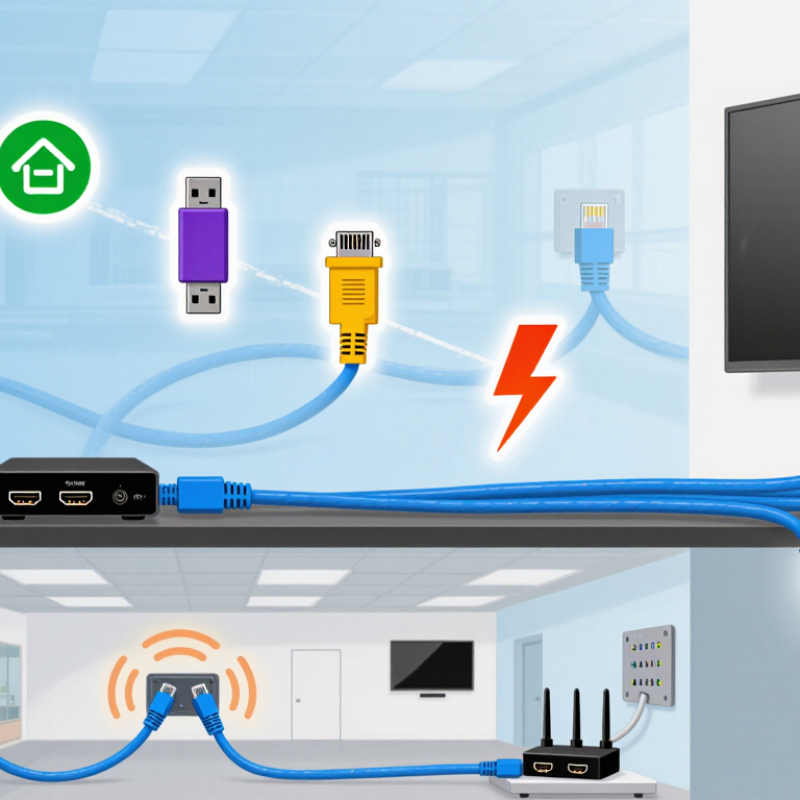
Why Choose HDBaseT Extender for Long Distance HDMI?

HDBaseT Extenders: Architecture and the 100 m Transmission Standard

HDBaseT extenders use a transmitter, twisted-pair cable, and receiver to carry HDMI signals across long distances. The transmitter converts the source signal for cable transport. The receiver restores it near the display. This architecture can also carry power, audio, Ethernet, and control signals, depending on the model. It reduces the need for multiple cables in meeting rooms, classrooms, and control spaces.

The 100 m transmission standard is a practical design reference, not an automatic guarantee. It usually depends on suitable category cable, careful termination, and compatible video settings. Higher resolutions and electrical noise can reduce stability.

In field installations, I have seen small connector faults cause intermittent black screens. Distance matters. Cable routing matters too. Avoiding power cables and maintaining proper bend radii helps protect signal quality.

A short test before wall installation can prevent expensive rework. Still, some systems need shorter runs when conditions are difficult.

Tips: Measure the real cable path, including vertical sections and service loops. Use solid-core cable with verified performance. Test the extender with the intended source and display. Check EDID, HDCP, and bandwidth settings before final mounting. Label both cable ends. This simple step saves time during troubleshooting. I once treated a “100 m” rating too literally, and the result was unstable. Specifications need practical judgment.

Why HDMI Copper Links Commonly Face 15 m Distance Limitations

A 15-meter limit is not a strict HDMI rule. It is a common practical boundary for passive copper links. As cable length increases, high-frequency signals lose strength. Small timing errors can also affect data recovery. The problem becomes clearer with 4K video, high refresh rates, or deep color settings. A screen may show flickering, sparkles, brief blackouts, or no image at all.

Cable construction matters. Copper quality, shielding, connector design, and manufacturing consistency all influence performance. Nearby power cables can add electromagnetic interference, especially in crowded equipment racks. In field testing, a short cable often works perfectly, while a similar-looking 15-meter cable behaves unpredictably. That difference can waste hours of troubleshooting. The distance is only one variable.

An HDBaseT extender changes the transmission method. It sends HDMI signals through structured twisted-pair cable, often across much longer routes than passive HDMI copper. The transmitter and receiver process the signal and help maintain stable communication. However, results still depend on cable category, termination quality, resolution, and the building environment. Installers should test the complete route, not only the cable on a workbench. I once assumed a signal failure came from the extender, but a poorly terminated connector caused it. That mistake was useful. It showed why careful testing matters more than advertised distance.

HDBaseT 3.0: 4K/60 Hz Video over Up to 100 m of Cat 6A

Why Choose HDBaseT Extender for Long Distance HDMI?

HDBaseT 3.0 is designed for demanding AV installations. It can carry 4K video at 60 Hz over up to 100 meters of Cat 6A cable. The standard also supports uncompressed signal transport, control, Ethernet, and power through one structured link. That reduces cable congestion behind displays and in equipment racks.

The distance is impressive. The installation still matters. HDBaseT Alliance technical specifications identify 100 meters as the maximum reach under suitable conditions. Cable quality, termination, grounding, and electromagnetic noise can affect real performance. I have seen long runs fail because installers treated Cat 6A like ordinary patch cable. It is not.

AVIXA’s 2024 Industry Outlook and Trends Analysis reports continued growth in professional AV demand, especially for corporate spaces, education, and digital signage. These environments often place screens far from source equipment. A 100-meter link can support a lecture hall, retail floor, or control room without adding a local source device. However, 4K/60 Hz performance should be tested at the installation site. Resolution alone does not prove reliability. A short trial, proper cable certification, and documented signal testing remain worthwhile. Mistakes happen. Careful commissioning reduces them.

HDBaseT 5Play: Audio, Ethernet, USB, Control, and Power Transmission

HDMI becomes difficult when displays sit 70 or 100 meters from the source. HDBaseT uses structured twisted-pair cable to extend high-quality video over long runs. Typical installations support distances up to 100 meters, depending on resolution, cable category, and electromagnetic conditions. The 2024 AV Industry Outlook and Trends Analysis from AVIXA values the global professional audiovisual market at more than 300 billion dollars. That growth reflects demand for simpler, scalable infrastructure in classrooms, hospitals, control rooms, and commercial spaces.

The stronger advantage is HDBaseT 5Play: audio, Ethernet, USB, control, and power transmission through one cable. Audio can reach ceiling speakers without a separate signal path. Ethernet can connect a display or remote device. USB supports cameras, touchscreens, and shared peripherals. Control signals allow remote switching, monitoring, and shutdown. Compatible power delivery can reduce local adapters and cable clutter. Much cleaner.

However, 5Play is not magic. A practical commissioning test should check cable length, connector quality, grounding, and actual bandwidth. AVIXA’s 2024 outlook also identifies networked AV and software-based control as major industry directions, but integration still depends on careful design. I have seen “100-meter” systems fail because installers ignored patch panels or used unsuitable cable. The specification was correct. The installation was not. That distinction deserves more attention.

Choosing an HDBaseT Extender by Bandwidth, Cable Category, and PoE Needs

Why Choose HDBaseT Extender for Long Distance HDMI?

An HDBaseT extender can carry HDMI signals far beyond ordinary copper HDMI cables. The real choice depends on bandwidth, cable category, and PoE requirements. A high-resolution source may need more bandwidth for 4K video, high refresh rates, HDR, or uncompressed audio. Check the extender’s supported bandwidth, not only its advertised distance.

Cable category also affects stability. Cat6 cable works for many installations, while Cat6A can offer better performance in electrically noisy spaces. Keep cable runs away from power lines, motors, and fluorescent fixtures. In practical installations, poor termination often causes more trouble than cable length. Test every pair after crimping. I once blamed the extender for intermittent black screens, but the actual fault was a loose connector.

PoE can simplify deployment by allowing one endpoint to power the other through the network cable. However, confirm the transmitter’s power budget and the receiver’s PoE requirements. Some systems need local power, especially when the run is long or the connected display consumes more energy. Heat also matters. Avoid sealing powered units inside a crowded cabinet. Leave airflow around them.

A careful installer should measure the route, inspect the cable path, and confirm the display’s input limits. Specifications can look perfect on paper. Real buildings are less forgiving. Allow spare cable length, label both ends, and test the complete system at its highest expected resolution.